Create Job
Create Job
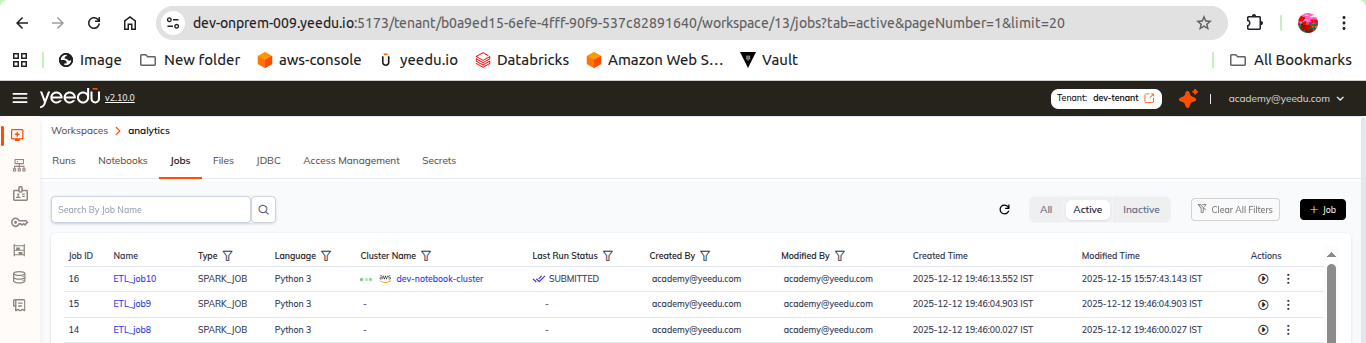
- Navigate to the Job Dashboard.
- Click on the + Job button located above the Action tab.
- You will be redirected to the New Job window.
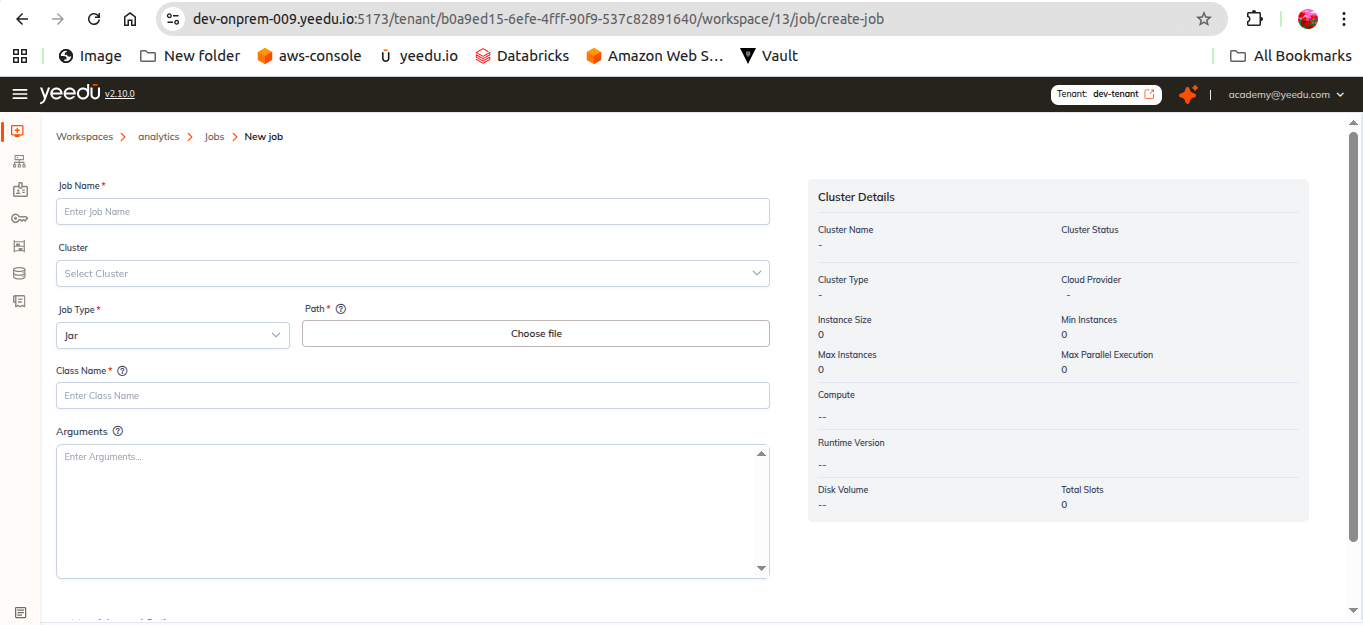
Job Fields
Job Name
- Enter a unique job name.
- Requirements:
- Maximum length: 64 characters
- Must be in lowercase
- Allowed symbols:
-,_,@,.
Cluster
- Select any available cluster assigned to your workspace.
Job Type Choose one based on your use case:
- Jar
- Requires:
Class Name,Arguments
- Requires:
- Python3
- Requires:
Argumentsonly
- Requires:
- Raw Scala
- Options:
- Write raw Scala code manually
- Upload a Scala file
- Options:
- SQL
- Options:
- Enter SQL queries manually
- Upload SQL file
- Options:
Path
- Points to the executable or script to run the job.
- Managed through Dependency Repositories.
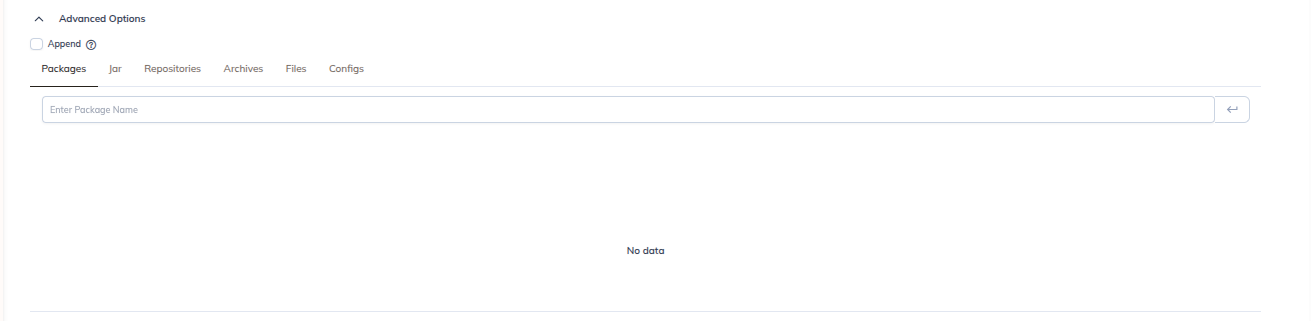
Advanced Options
You can additionally configure:
- Packages
- JARs
- Repositories
- Archives
- Files
- Spark configs
- Driver configs
- Concurrent run settings
These settings allow you to customize job behavior, dependency handling, and execution performance.