Databricks Migration Guide
Databricks offers proprietary versions of Apache Spark, Delta Lake, and other components, with certain features that are not available in the open-source editions.
Unsupported dbutils Commands
Yeedu does not support Databricks-specific commands, including commonly used dbutils commands. It is recommended to avoid using these commands in Yeedu environments.
List of Unsupported dbutils Commands and Alternatives
| Unsupported Command | Databricks Documentation | Yeedu Alternative |
|---|---|---|
dbutils.taskValues | dbutils.taskValues | Task value sharing is not supported in Yeedu. |
dbutils.fs.mount() | dbutils.fs.mount | Mounting file systems (DBFS) is not supported. |
dbutils.fs.mounts() | dbutils.fs.mounts | Listing mounts is not supported. |
dbutils.fs.unmount() | dbutils.fs.unmount | Unmount operations are not supported. |
dbutils.fs.refreshMounts() | dbutils.fs.refreshMounts | Refreshing mounts is not supported. |
dbutils.fs.updateMount() | dbutils.fs.updateMount | Updating mounts is not supported. |
dbutils.data | dbutils.data | The dbutils.data module is not supported. |
dbutils.api | dbutils.api | The dbutils.api module is not supported. |
Unsupported SQL Features (Delta Tables)
The following SQL features, commonly used in Databricks with Delta tables, are not supported in Yeedu. However, alternative methods can be employed to achieve similar outcomes.
List of Unsupported SQL Features and Alternatives
| Unsupported Feature | Databricks Command | Yeedu Alternative |
|---|---|---|
DELETE FROM with Subqueries | DELETE FROM <table> WHERE id IN (SELECT id FROM <table>) | Use MINUS to create a new table from this table to achieve similar functionality. |
UPDATE with Subqueries | UPDATE <table> SET <column> = <value> WHERE <condition> | Use MERGE INTO for conditional updates. |
TRUNCATE TABLE | TRUNCATE TABLE <table> | Use DELETE FROM <table> to remove all records. |
| Database Selection Syntax | USE DATABASE <database_name> | Use USE <database_name> in Yeedu. |
Unsupported Features
Databricks Workflows
Yeedu currently does not support the creation of workflows with dependent tasks like those in Databricks. However, users can achieve workflow orchestration in Yeedu by creating the workflows using Apache Airflow and Prefect. Yeedu provides operators for both Prefect and Airflow that allow users to execute notebook code, JARs, and manage complex workflows through these orchestration tools.
Multi Language Single Notebook
Yeedu notebooks are designed to support only one programming language per notebook, allowing users to choose between Scala or Python.
Using dbutils in Yeedu
Overview
Yeedu provides a Databricks-style dbutils toolkit with a streamlined backend.
This lets users interact with commands like dbutils.secrets, dbutils.widgets, dbutils.notebook, dbutils.jobs, dbutils.libraries, dbutils.fs — without extra configuration.
It simplifies:
- Managing secrets
- Creating interactive widgets
- Orchestrating notebooks
- Running filesystem and library operations
Available dbutils Commands
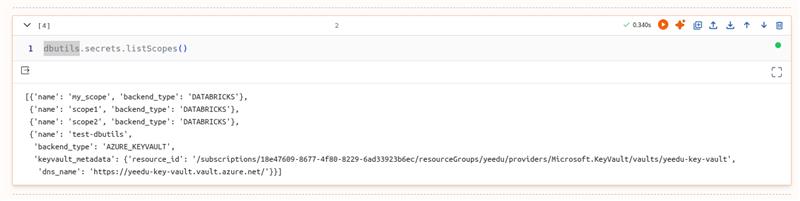
- dbutils.secrets → Securely store and retrieve sensitive data such as API keys, passwords, and tokens.
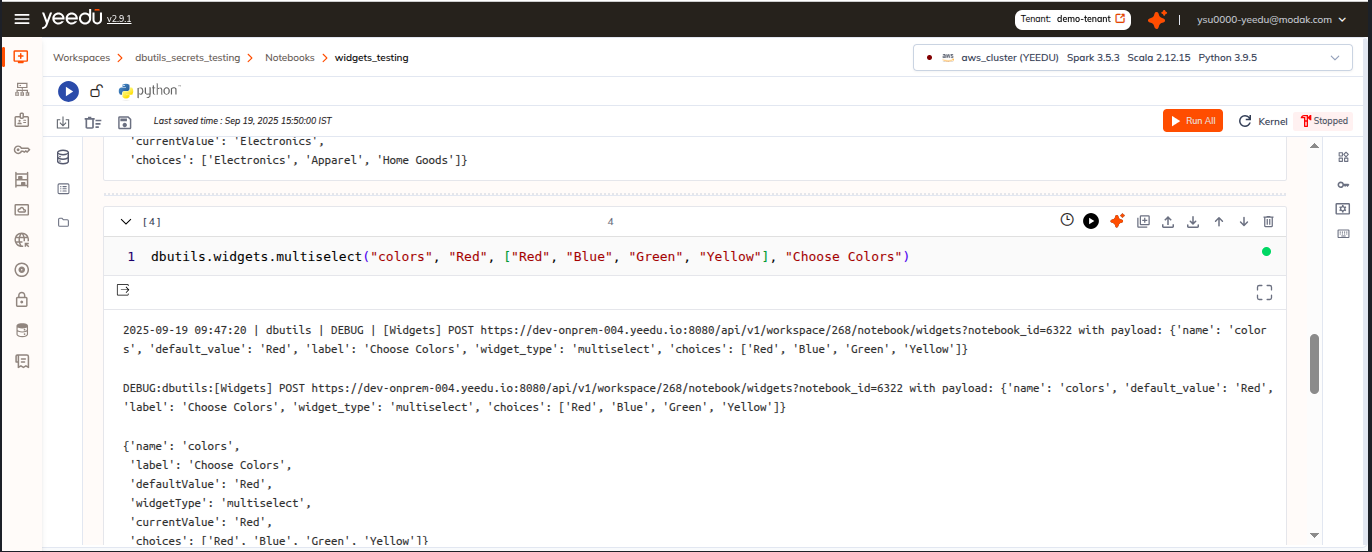
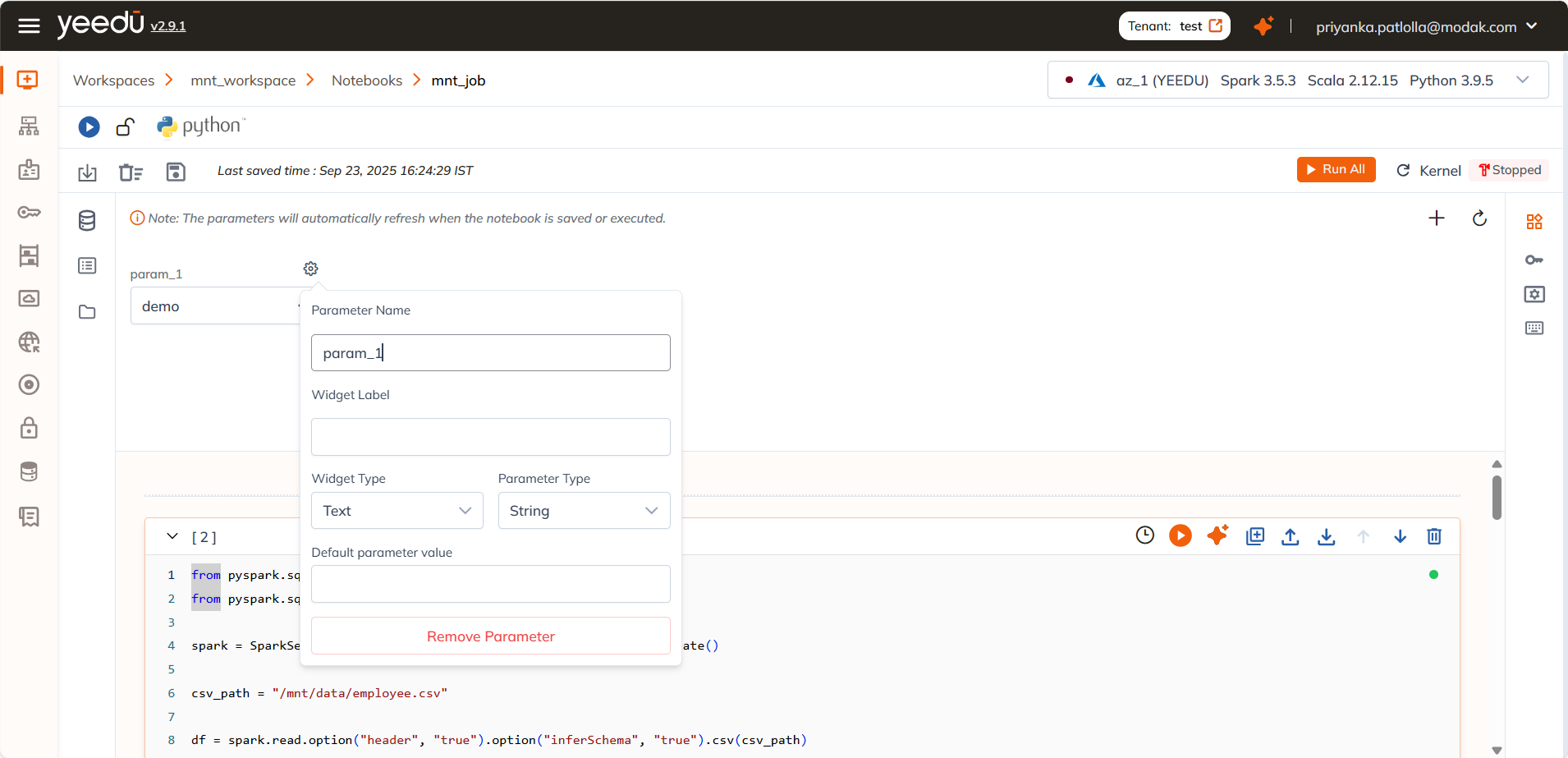
- dbutils.widgets → Create interactive input widgets for parameterizing jobs and workflows.
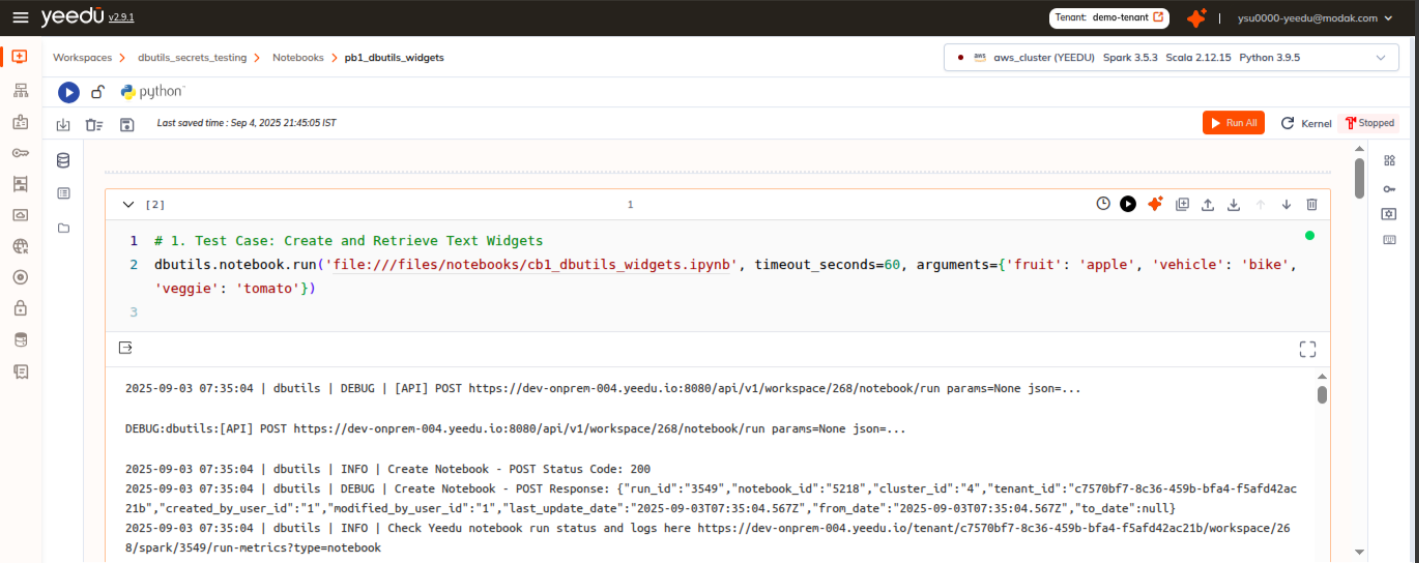
- dbutils.notebook → Run and chain notebooks together for orchestration.
- dbutils.jobs → Access and pass task values between job runs.
- dbutils.libraries → Install, update, or manage libraries.

- dbutils.fs → Perform filesystem operations (list, copy, read, write).
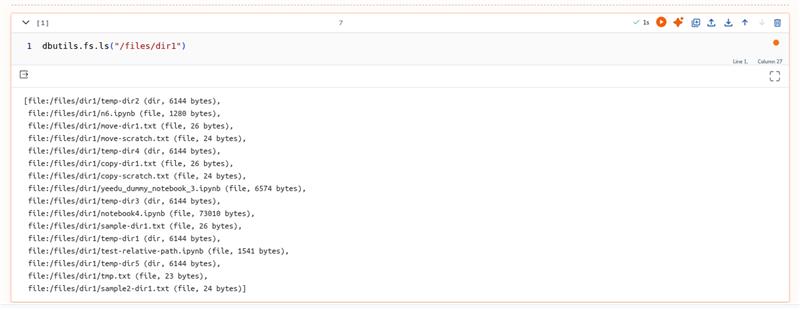
Yeedu dbutils – Databricks-style Toolkit
Yeedu’s toolkit is designed for Spark notebooks and jobs, offering:
- Filesystem operations (
dbutils.fs) - Secrets management (
dbutils.secrets) - Notebook widgets (
dbutils.widgets) - Notebook orchestration (
dbutils.notebook) - Library utilities (
dbutils.library) - Job task values (
dbutils.job.taskValues)
Key Behavior
- Lazy loading → Importing
dbutilsdoes not start Spark or touch the JVM. - Spark initialization → Spark starts only when you use functions like:
dbutils.fs,dbutils.notebook,dbutils.secrets,dbutils.widgets,dbutils.library,dbutils.job.taskValues.
Benefits
- Pre-configured backend – No setup required.
- Secure – Secrets safely managed.
- Interactive – Widgets provide dynamic, user-driven inputs.
- Consistent API – Familiar Databricks-style interface.
Examples
# Example: Text widget
dbutils.widgets.text("input", "default_value", "Input Parameter")
user_input = dbutils.widgets.get("input")

# Example: Secret retrieval
secret_value = dbutils.secrets.get(scope="my_scope", key="my_key")