Import / Export Workspace
Workspaces support seamless import and export capabilities to enable migration, backup, and replication of jobs and notebooks across environments. These actions can be accessed directly from the Actions menu of each workspace.
Export Workspace
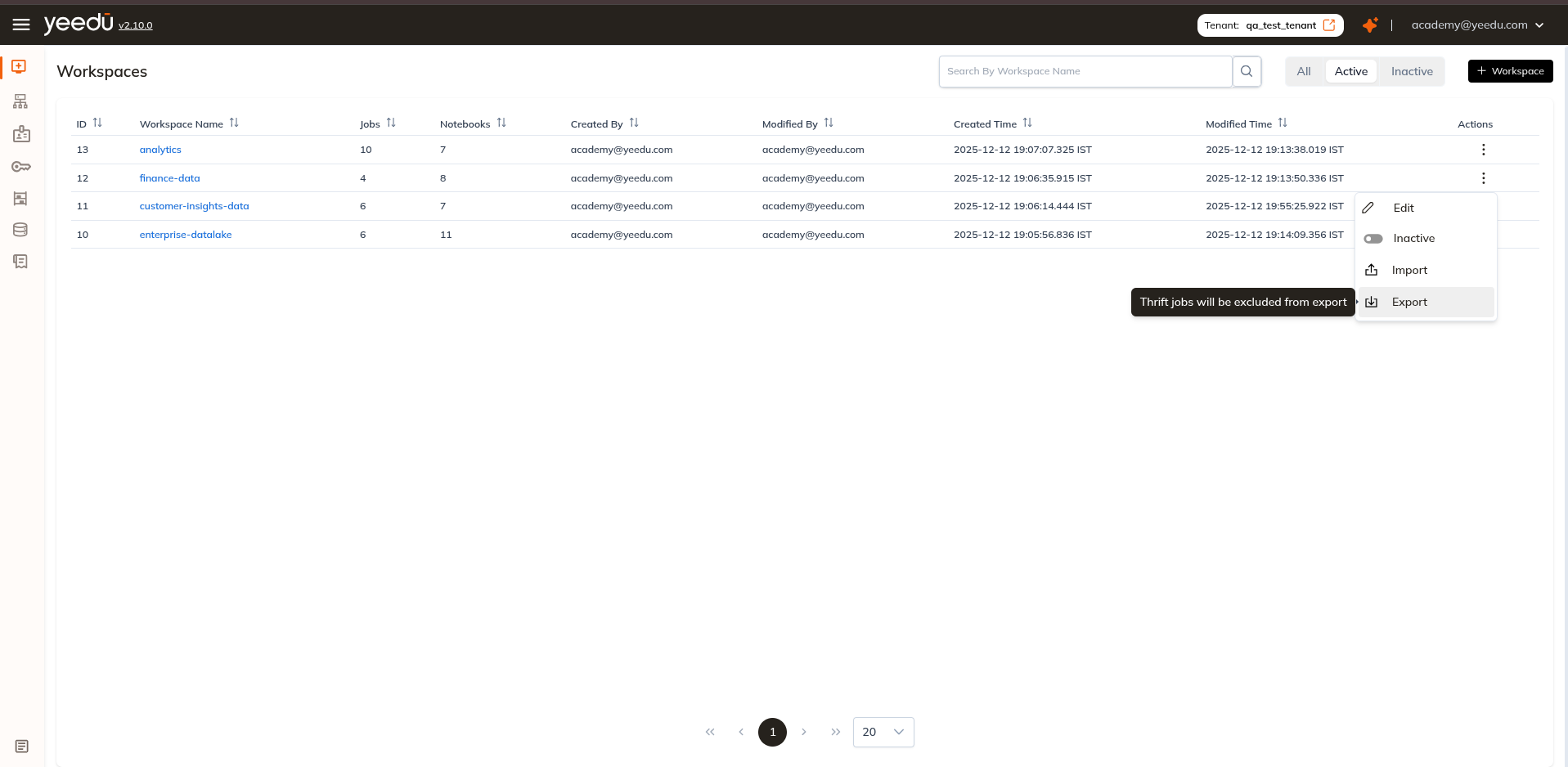
To export a workspace:
- Open the Actions menu of the desired workspace.
- Click Export.
This action generates a downloadable .zip file containing the workspace's jobs and notebooks.
Note: Thrift jobs are excluded from the export.
The exported package can be used later to restore or replicate workspace content in another workspace.
Import Workspace
Workspaces can import previously exported content, enabling teams to easily restore or transfer jobs and notebooks.
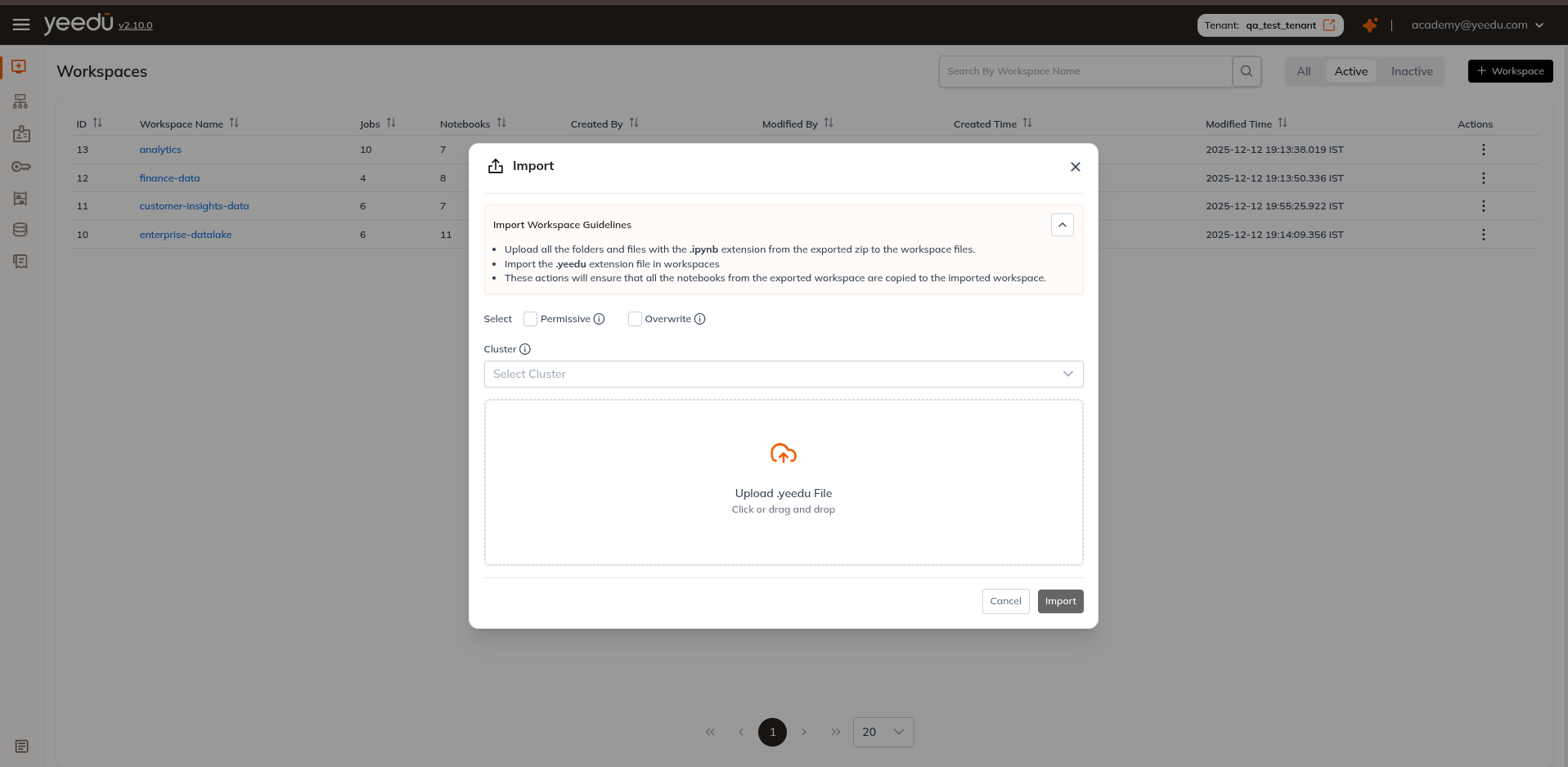
Import Guidelines
Before initiating the import:
- Upload all folders and
.ipynbfiles from the exported ZIP into the Workspace Files section. - Upload the
.yeedufile through the Workspace Import pop-up.
These steps ensure that all notebooks and relevant metadata are successfully copied into the target workspace.
Import a Workspace
To import jobs and notebooks into a workspace:
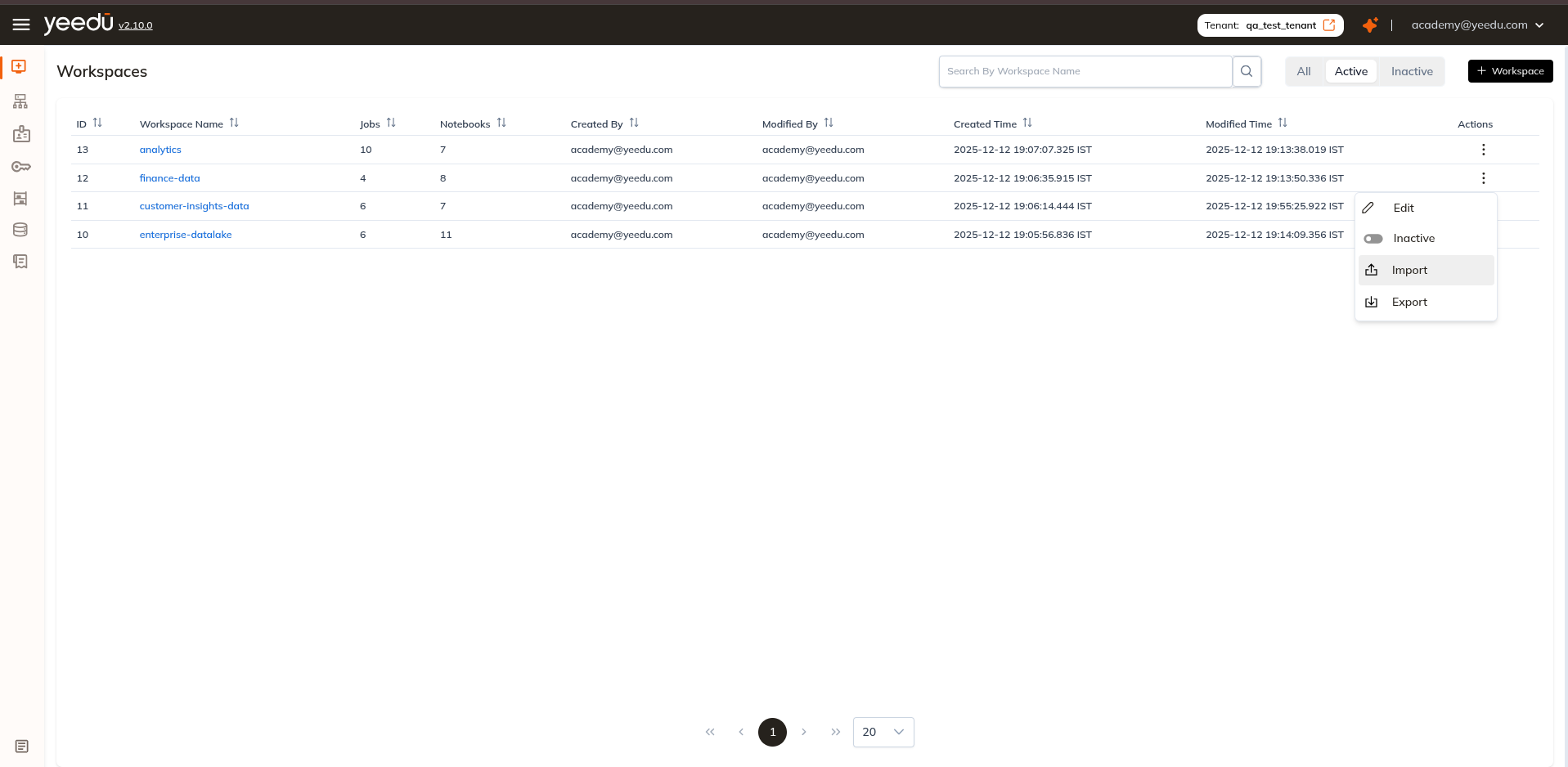
- Open the Actions menu of a specific workspace.
- Click Import to open the import pop-up.
- Configure the following options:
1. Select Permissive, Overwrite (optional)
- Permissive: Allows job/notebook creation even if some errors occur during the import.
- Overwrite: Replaces existing jobs/notebooks when the name matches an existing entry.
2. Select Cluster (optional)
Choose a cluster from the dropdown to automatically substitute the cluster reference inside imported notebooks with the selected cluster.
3. Upload a .yeedu File
Upload the exported .yeedu file to complete the import process.
Once all details are provided, proceed with the import. The system will process the uploaded package and update the workspace accordingly.
Workspace Permission Matrix
| Ability | Can Manage | Can Edit | Can Run | Can View |
|---|---|---|---|---|
| Workspace Access Management | ✔ | ✖ | ✖ | ✖ |
| Activate or Inactivate the Job, Notebook, Workspace | ✔ | ✔ | ✖ | ✖ |
| Create or Update Job or Notebook Configurations | ✔ | ✔ | ✖ | ✖ |
| Run or Stop the Job or Notebook | ✔ | ✔ | ✔ | ✖ |
| Read All Job or Notebook Configurations and Runs | ✔ | ✔ | ✔ | ✔ |