Metastore Setup – Hive Catalog
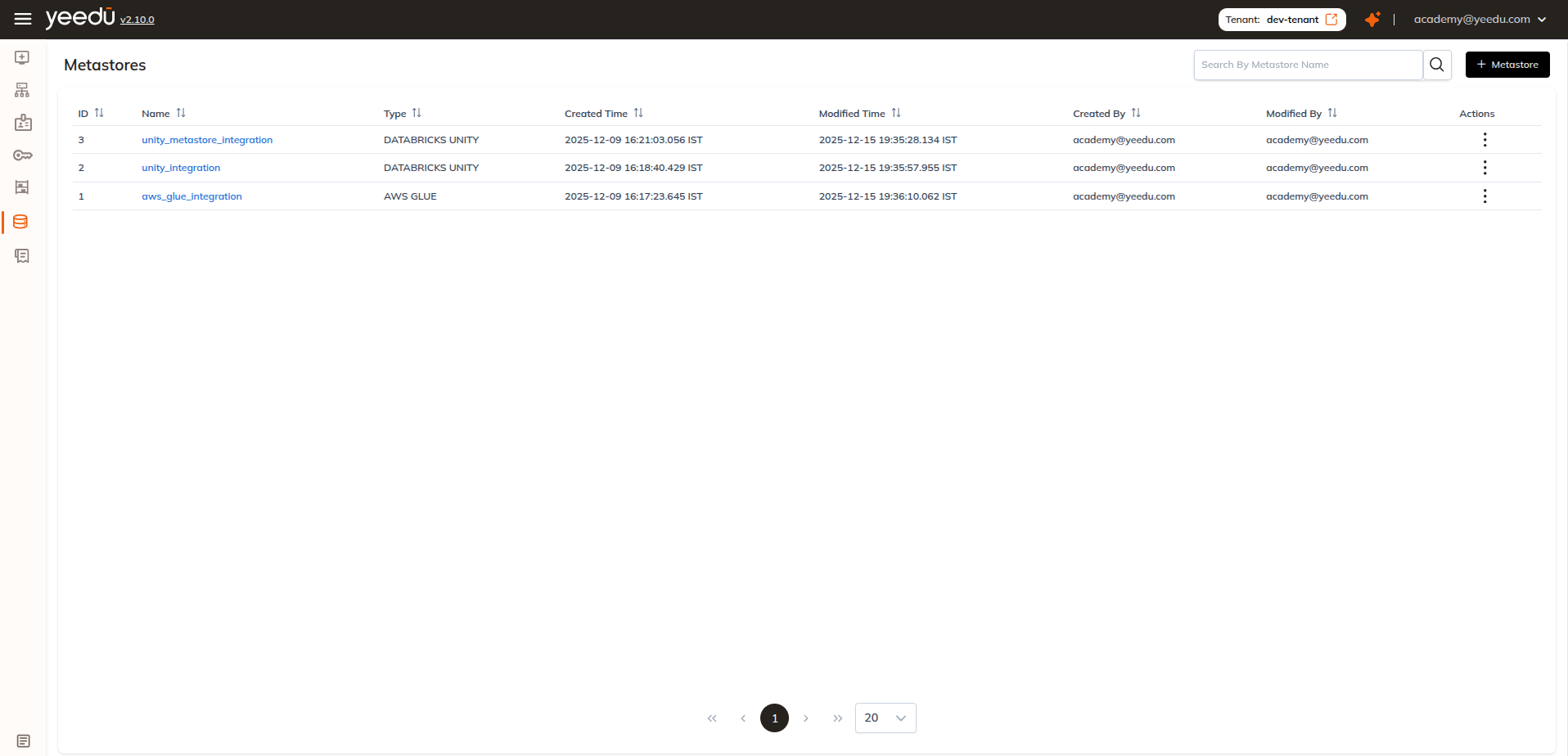
Metastore
A Hive Metastore in Yeedu lets you connect to an external or embedded Hive Metastore and manage table metadata stored in HDFS or cloud-based warehouses. It asks for more than the other metastore types do, because it wants configuration files and not just credentials: up to four XML and Kerberos files, then a Hive authentication secret that is either HIVE BASIC or HIVE KERBEROS, then a storage secret for whichever of Google Cloud Storage, ADLS Gen2 or Amazon S3 holds the warehouse.
A Hive Metastore configuration includes:
- XML Configuration Files
(
hive-site.xml,core-site.xml,hdfs-site.xml,krb5.conf) - Hive Authentication Secret (Hive Basic or Hive Kerberos)
- Storage Type (e.g., Amazon S3)
- Storage Secret (credentials for your object store)
Scope Levels for Secrets
Secrets used in a Hive Metastore follow our scope-based permission model:
| Scope | Visibility |
|---|---|
| User | Only the creator can read/use |
| Workspace | All users in one workspace |
| Tenant | Visible to all users within the tenant |
Creating a Hive Metastore
Click + Metastore on the top-right of the Metastore page.
Provide the Required Details
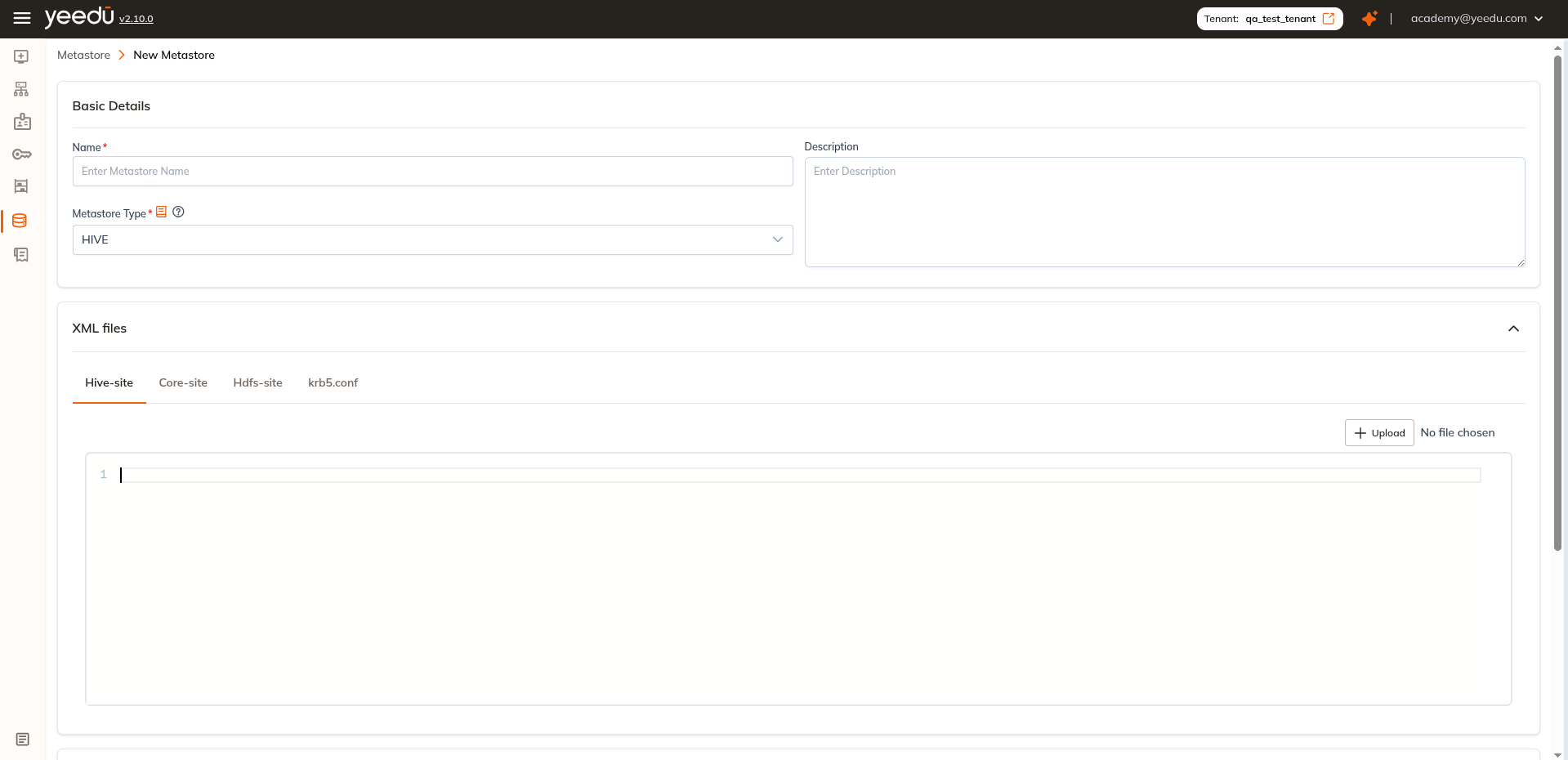
Basic Details
- Name : Required and must be unique
- Description : Optional
- Metastore Type : Select
HIVE. The dropdown offersAWS GLUE,DATABRICKS UNITYandHIVE(default:DATABRICKS UNITY)
Upload XML Configuration Files
Hive Metastore requires configuration files. The XML files section is a collapsible panel with four tabs, Hive-site, Core-site, Hdfs-site and krb5.conf:
| Tab | File | Purpose |
|---|---|---|
| Hive-site | hive-site.xml | Contains Hive service and JDBC properties |
| Core-site | core-site.xml (Kerberos only) | Defines Hadoop core configurations |
| Hdfs-site | hdfs-site.xml (Kerberos only) | References HDFS NameNode and storage paths |
| krb5.conf | krb5.conf (Kerberos only) | Required for secure clusters using Kerberos |
Each tab offers + Upload (showing No file chosen until a file is selected) and an inline code editor, so the content can either be uploaded from your local system or pasted directly and you don't need the file on disk at all. Each file can be uploaded individually or replaced anytime during editing.
Metastore Details
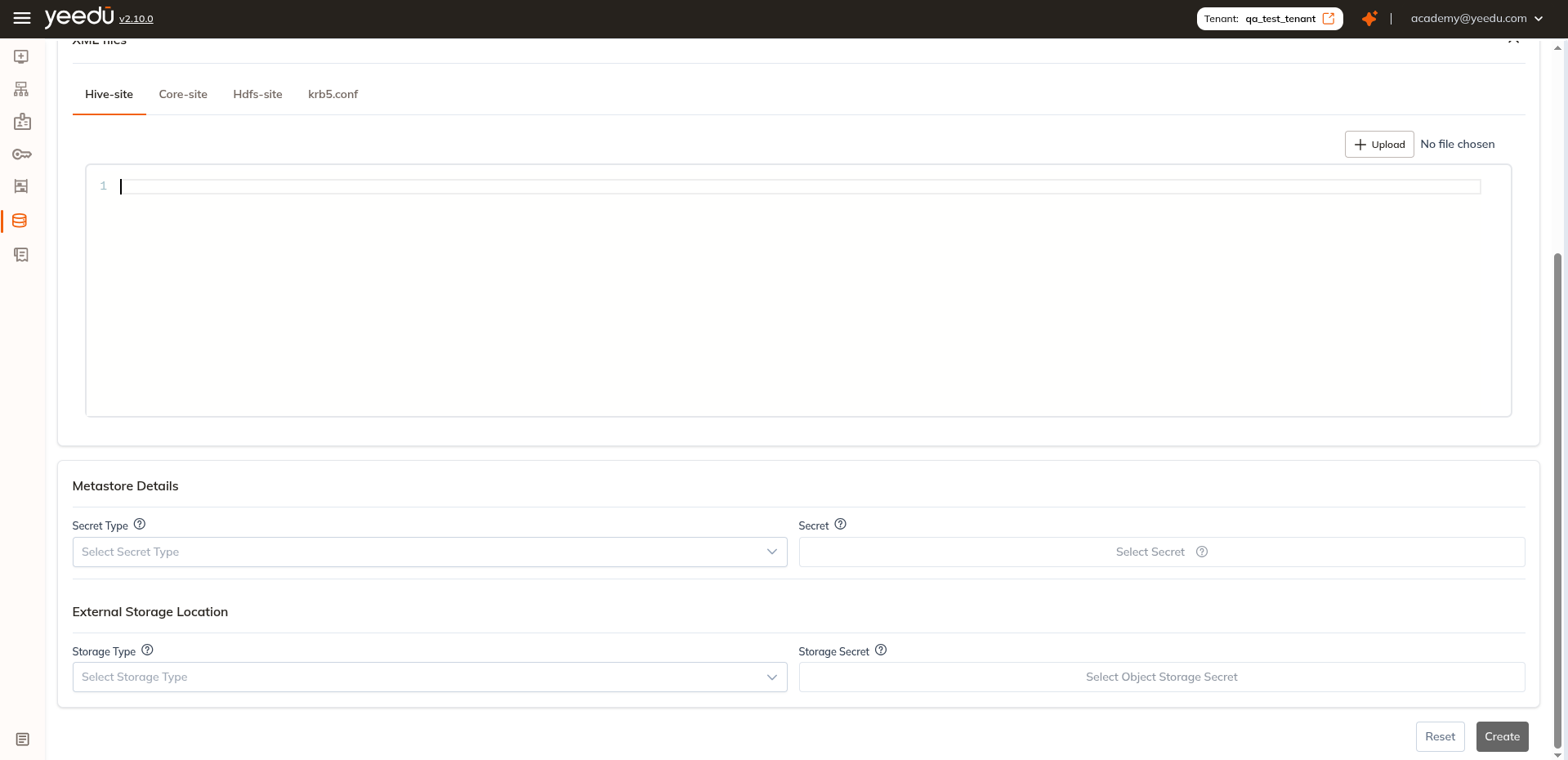
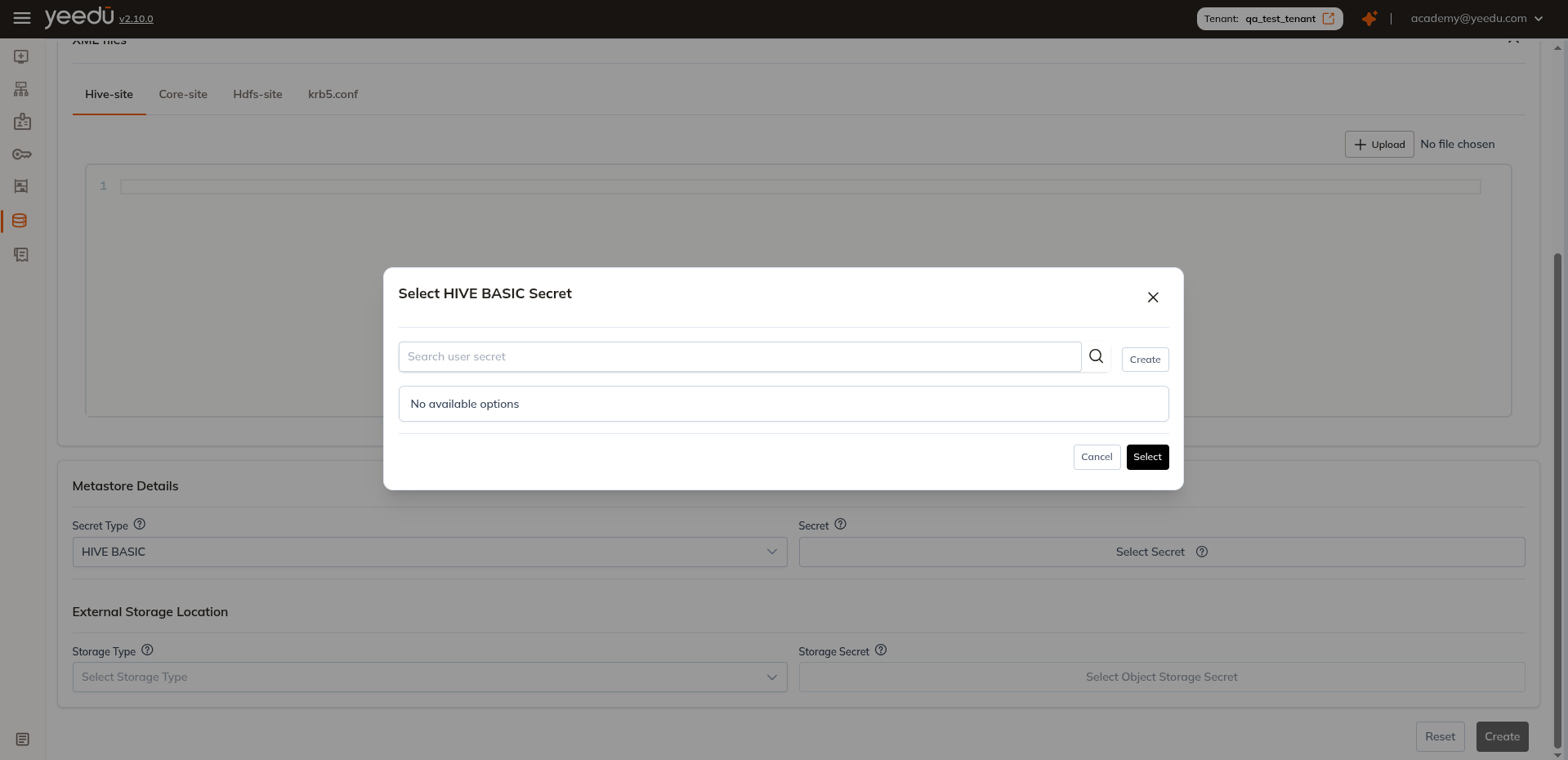
After uploading XML files, configure Hive Metastore authentication. It's two fields.
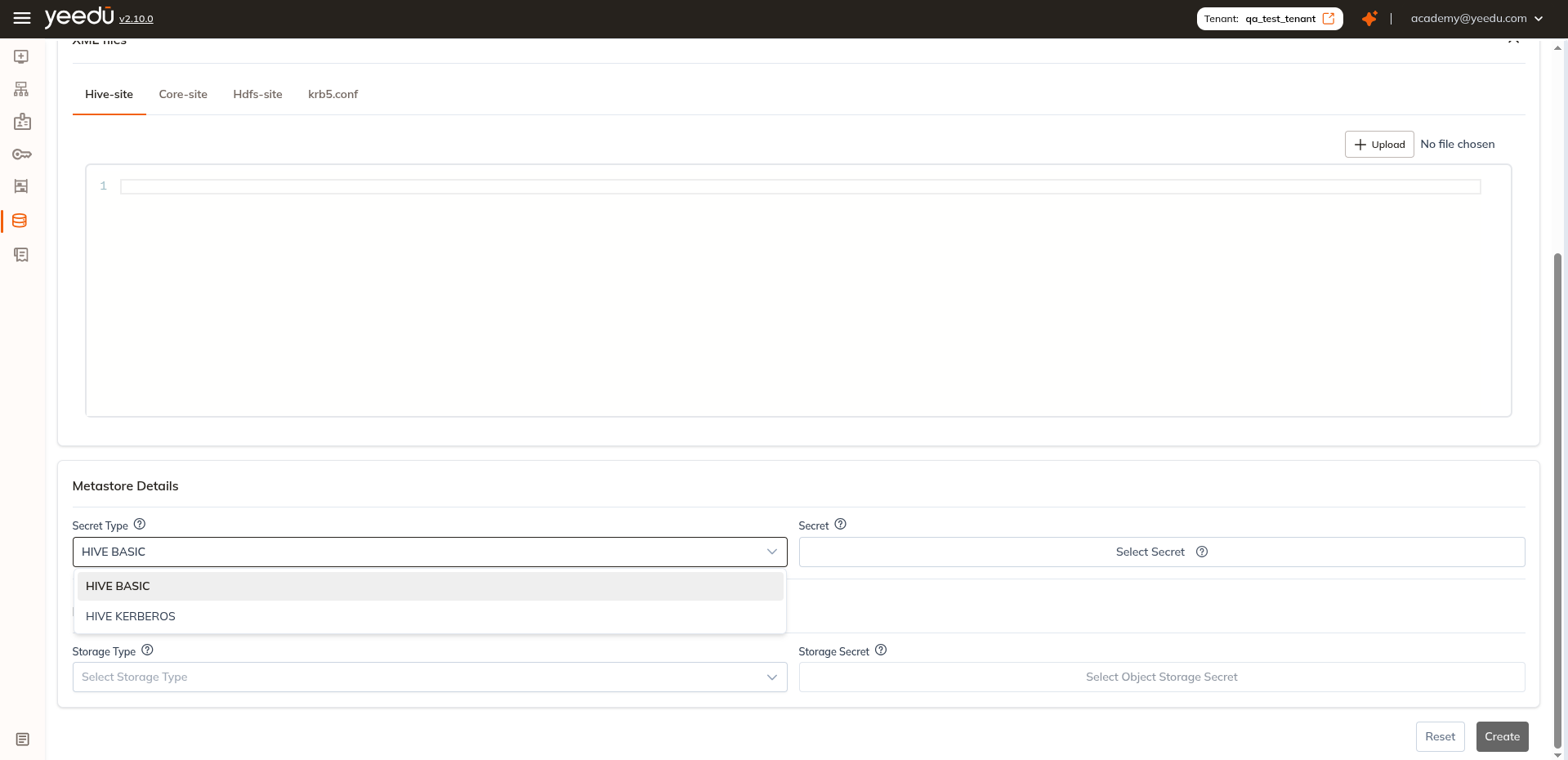
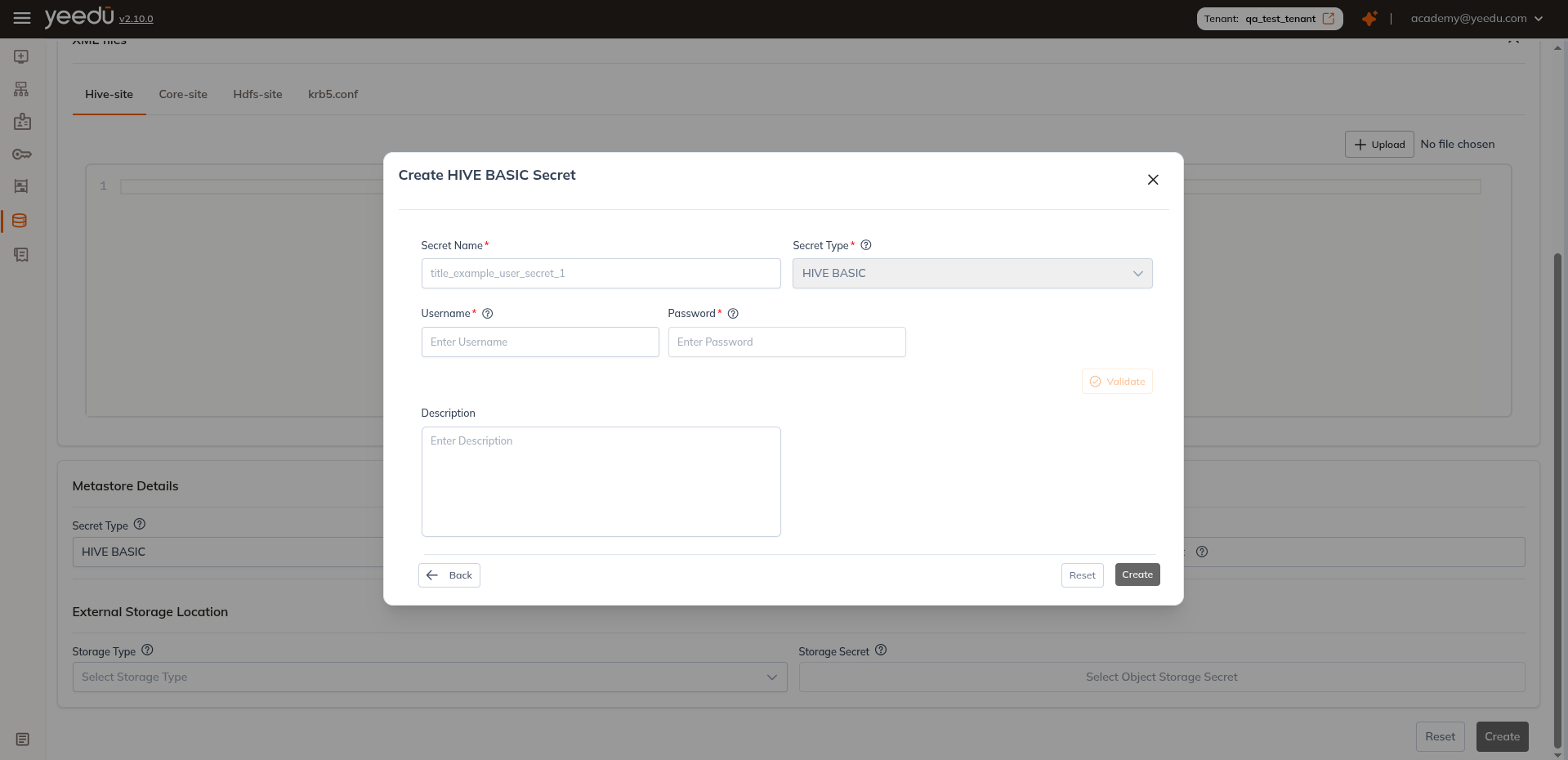
- Secret Type: Choose from
HIVE BASIC,HIVE KERBEROS - Secret: Select credential secret based on Secret Type
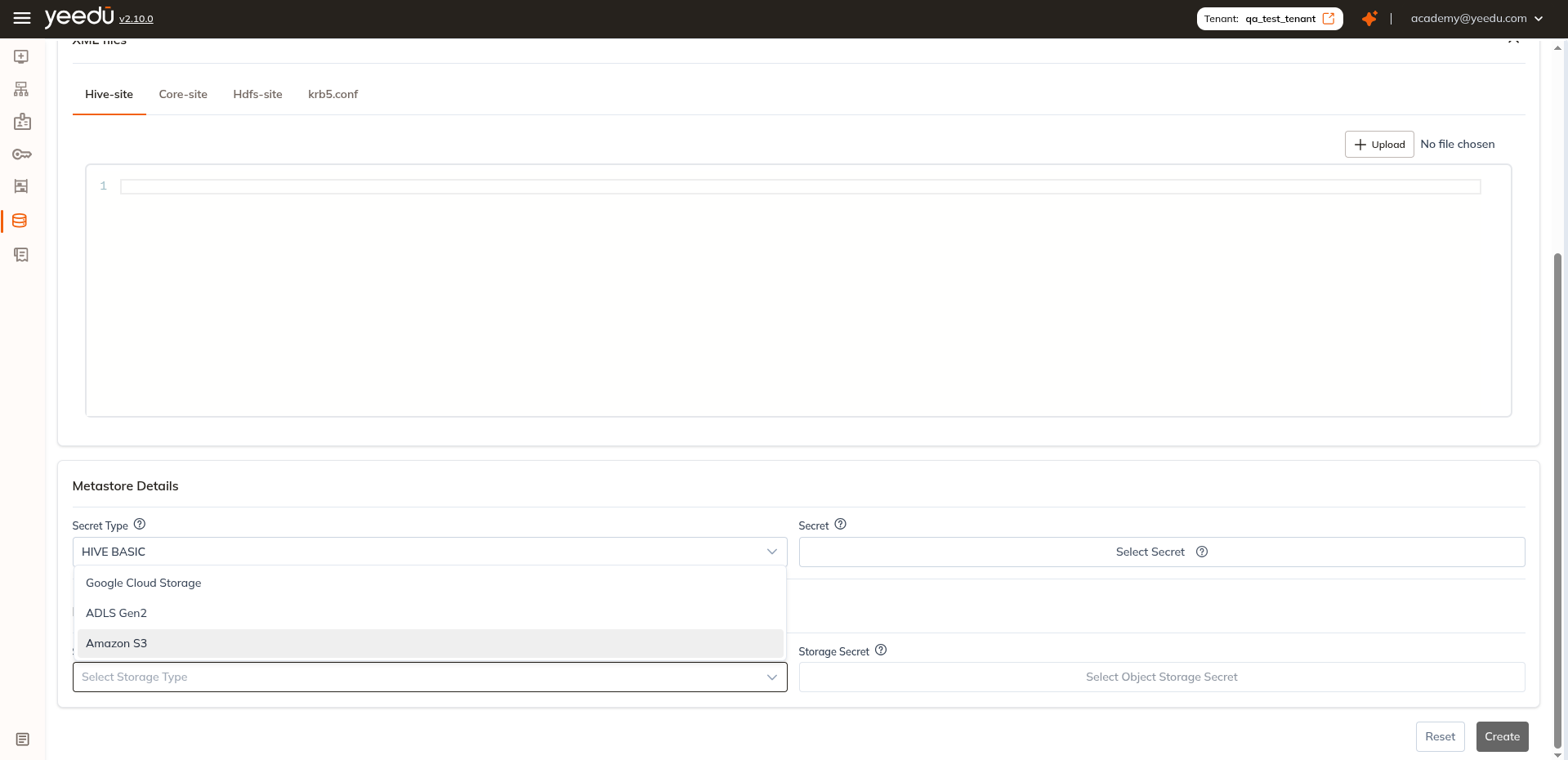
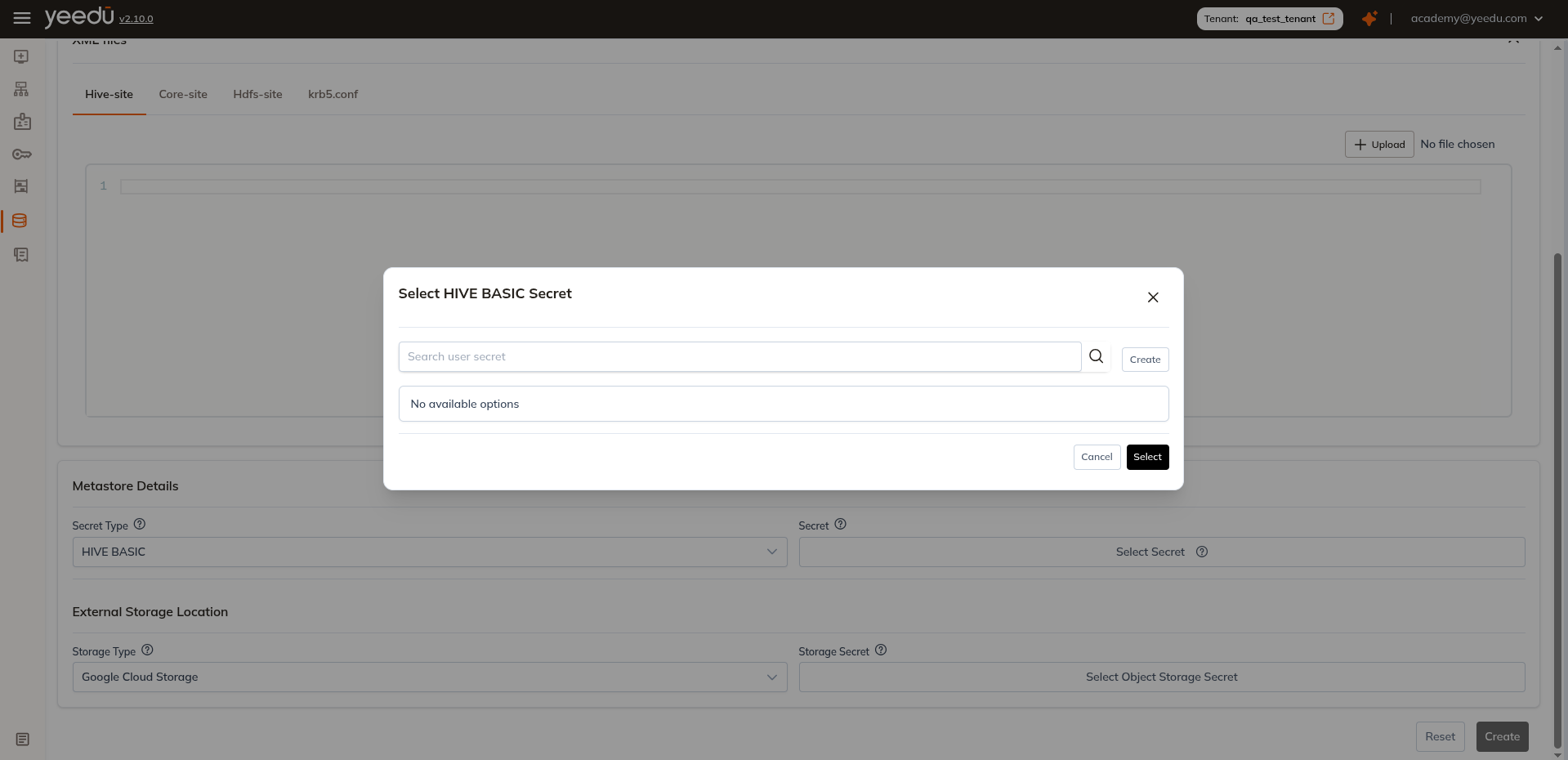
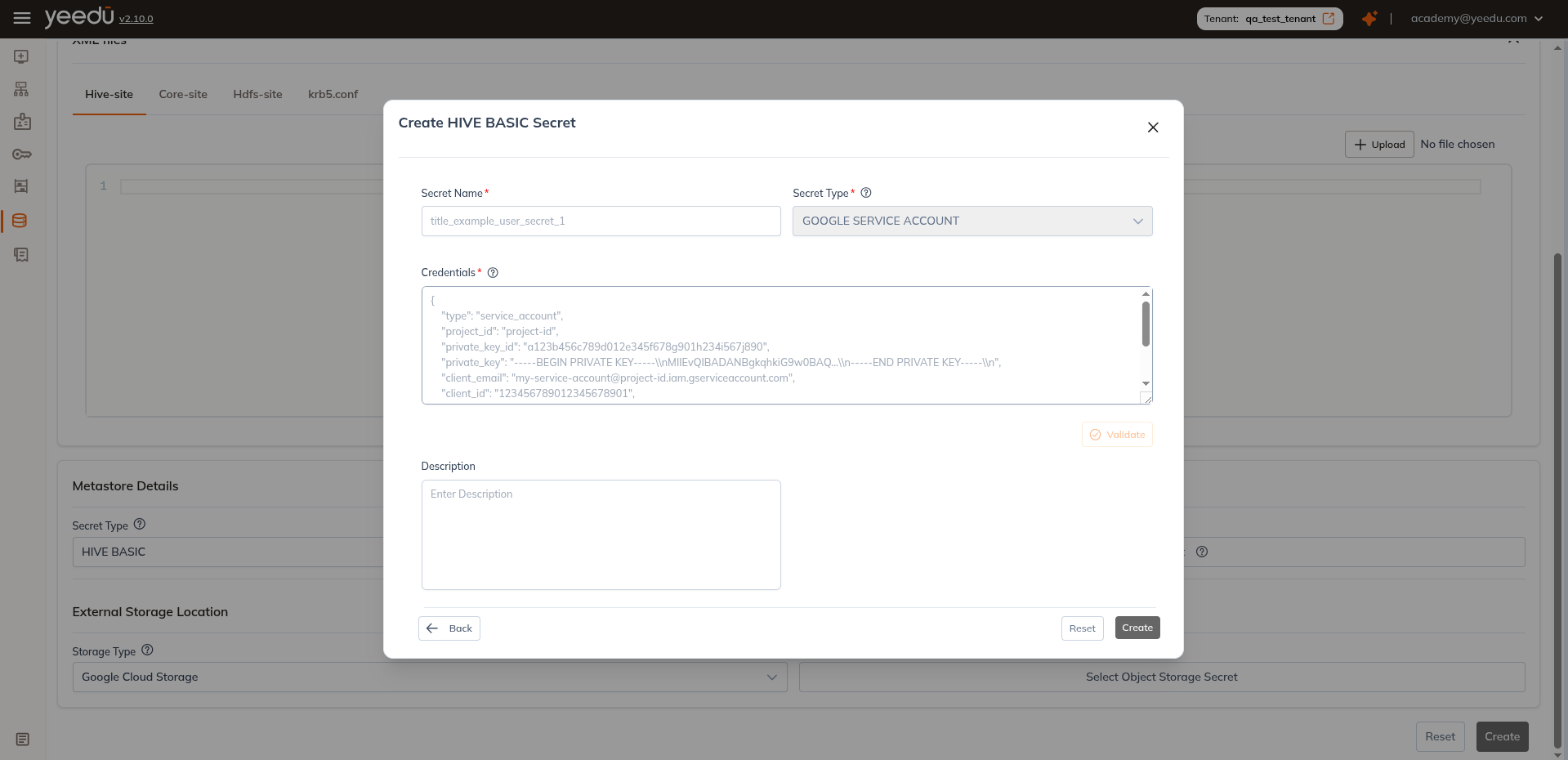
External Storage Location
- Storage Type: Choose from
Google Cloud Storage,ADLS Gen2,Amazon S3 - Storage Secret: Select the Object Storage Secret for the chosen storage type
We let you choose an existing secret from the dropdown or create a new secret directly in the UI.
The recommended resolution for Yeedu UI is 1920 x 1080.