User-Level Secrets
User secrets are private to whoever created them. Resolving one checks both the creating user and the current tenant, so the same secret name can exist independently for different people without either of them seeing the other's value.
This is the narrowest scope we offer, and it's the right default for a personal access token, a development credential, or anything else you'd rather not hand to colleagues who share your workspace. Nobody else can read it, which also means nobody else can maintain it: a user secret that a scheduled job depends on becomes a problem the day that user leaves.
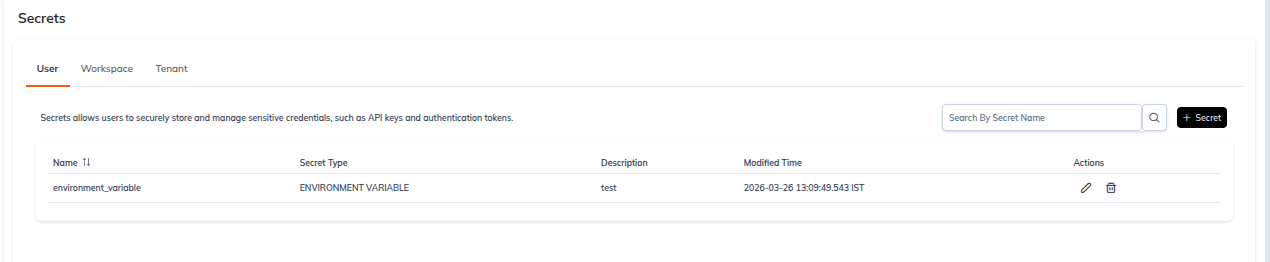
The User tab is the landing tab of the Secrets page.
List
| Route | /tenant/<tenantId>/secrets/user |
| Toolbar | Search By Secret Name field with a search icon, and a + Secret button at the top right |
| Empty state | No User Secrets Found. with an illustration and a secondary + Secret button |
Columns: Name, Secret Type, Created By, Modified By, Created Time, Modified Time, Actions. Every column except Secret Type and Actions is sortable.
The Actions kebab menu holds exactly two entries, Edit and Delete.
Create
| Route | /tenant/<tenantId>/secrets/create-user-secret |
| Breadcrumb | Secrets ❯ User ❯ New user secret |
| Footer | Reset and Create |
Basic Details on this scope are Secret Name (required), Secret Type (required, defaults to ENVIRONMENT VARIABLE) and Description. There's no Workspace field on the user-scoped form.
All seven secret types are available at this scope. See Create Secret for the per-type field matrix.