Python
Python jobs provide flexibility for data transformations, analytics, automation, machine learning, and ETL pipelines. Python jobs allow users to run Python scripts or Spark-based PySpark workloads. You'll reach it from the Create Job form via Job Type → Custom Code → Language → Python.
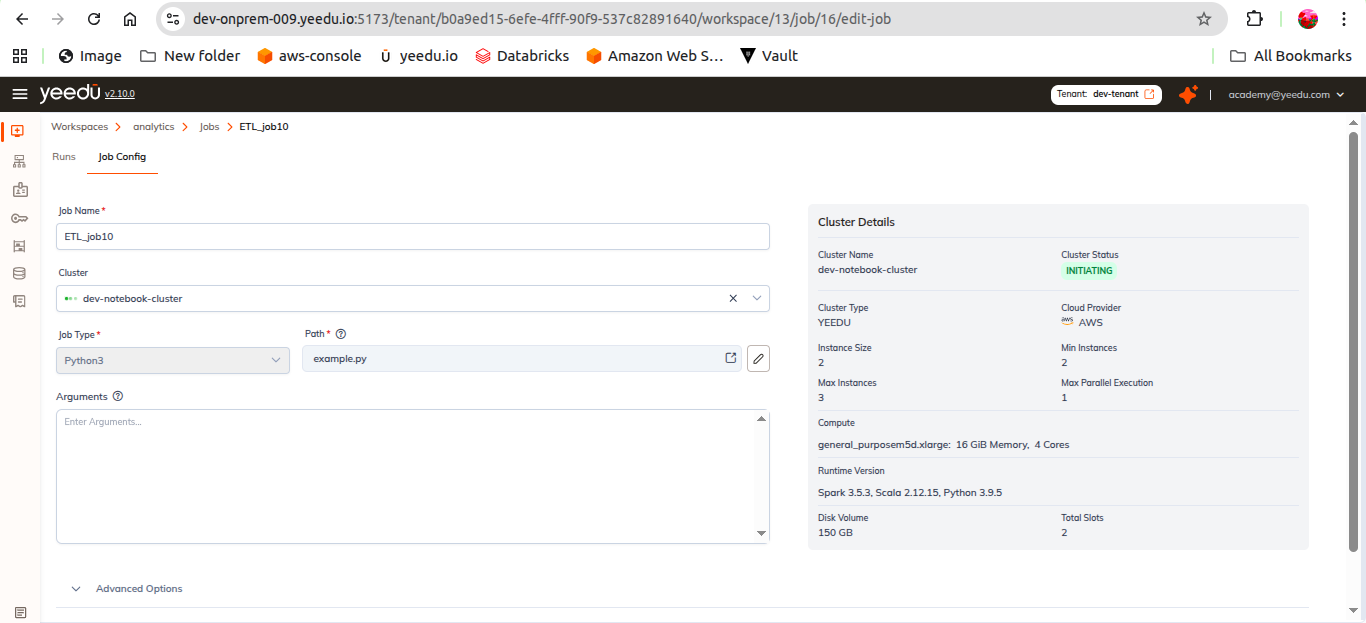
Required Fields
| Field | Required | Notes |
|---|---|---|
| Cluster | - | Cluster where the job will execute |
| Job Type | Yes | Custom Code |
| Language | Yes | Python |
| Path | Yes | Python script location, selected with Choose file |
| Arguments | No | Arguments required by the Python script |
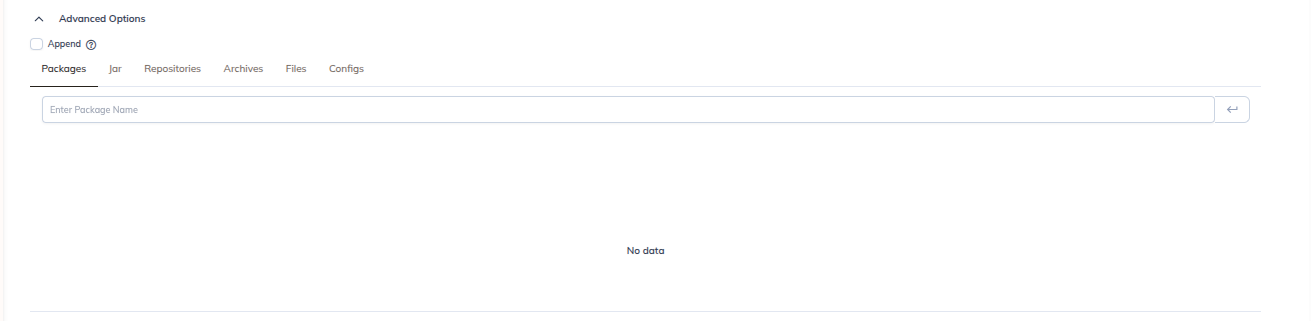
Advanced Options
An Append checkbox plus six dependency tabs:
| Tab | Purpose |
|---|---|
| Configs | Spark configuration Key / Value rows (with Bulk Edit) |
| Packages | Install required dependencies |
| Jars | Attach external libraries |
| Repositories | Repositories used to resolve dependencies |
| Archives | Add compressed resources |
| Files | Include supporting files |
Followed by Principal & Key Tab, Driver Config, Concurrent Runs and Timeout. See Create Job.
When to Use Python Jobs
We recommend Python jobs for:
- Machine learning workflows
- Data wrangling scripts
- PySpark ETL