Yeedu Functions
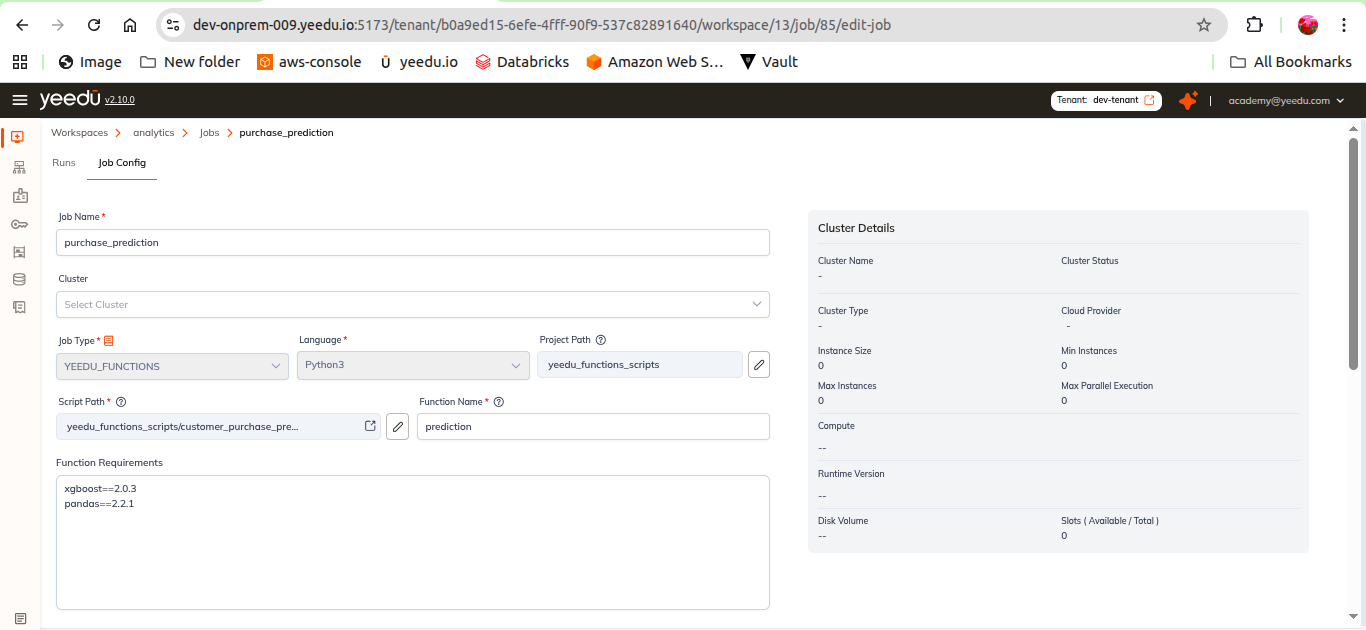
Yeedu Functions let you run jobs through REST APIs, so we can give you event-driven, scalable and fully managed execution. A function is still a job. It lives in a workspace, binds to a cluster, runs Python from a script path you choose, and carries the same Advanced Options as every other job type, with a generated Function URL and an Auth Token on top.
Create one from the Jobs tab of a workspace by setting Job Type to Functions.
We trigger them from ordinary HTTP requests, which makes them a good fit for:
- Automation
- Event-driven pipelines
- External integrations
- Micro-batch workflows
Job Fields
| Field | Required | Notes |
|---|---|---|
| Job Name | Yes | Name of the job |
| Cluster | — | Cluster the function runs on; an inline + creates a new cluster |
| Job Type | Yes | Functions |
| Language | Yes | Python |
| Project Path | No | Choose Project Path — project folder containing the function code |
| Script Path | Yes | Choose Script Path — script file that defines the function |
| Function Name | Yes | Name of the function to invoke inside the script |
| Function Requirements | No | Pip requirements, one per line — for example pandas==2.1.1, numpy==1.26.0 |
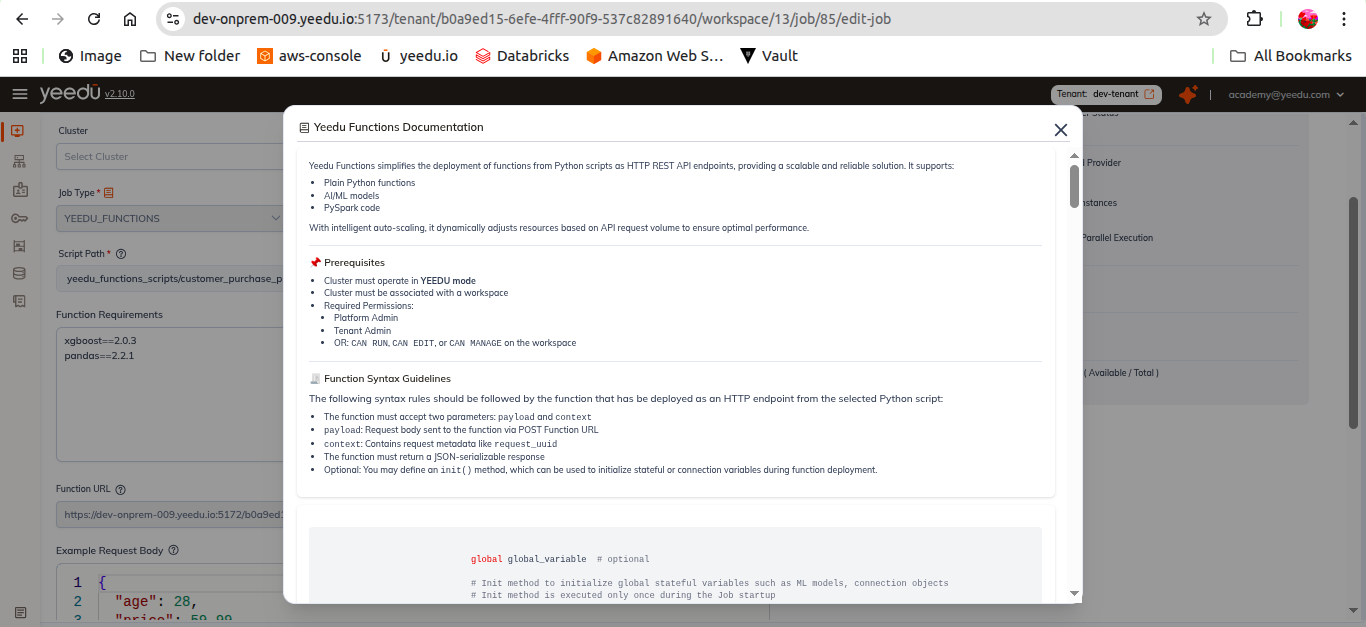
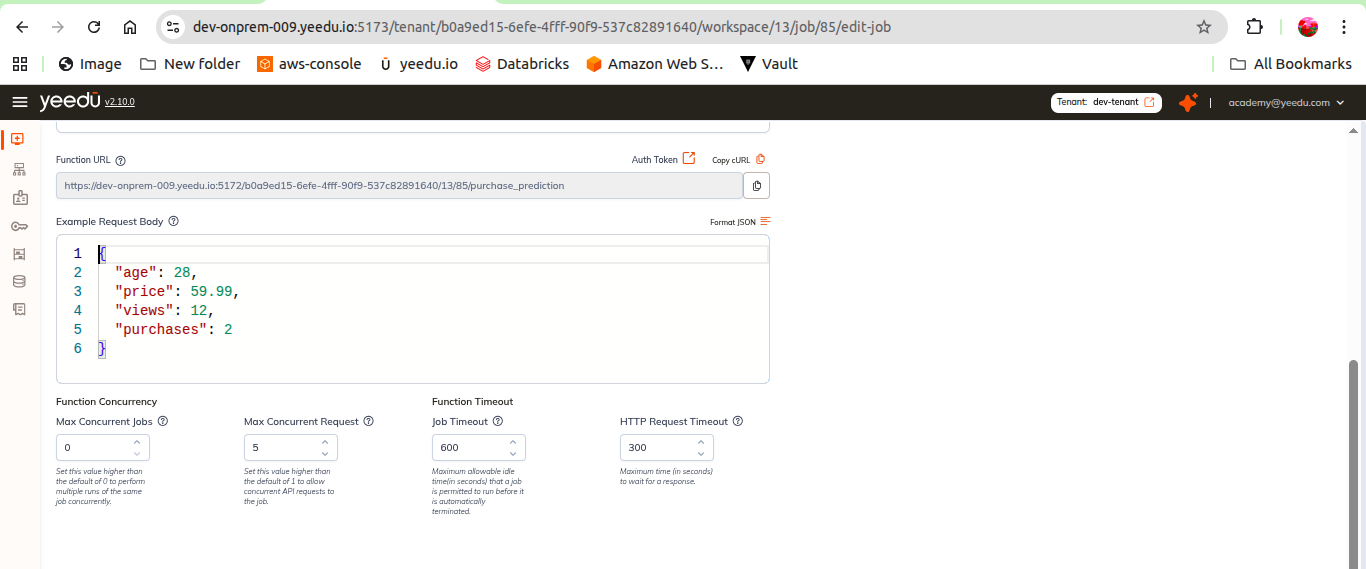
Invocation Details
| Field | Notes |
|---|---|
| Function URL | REST endpoint generated for this function |
| Auth Token | Token used to authenticate requests to the Function URL |
| Copy cURL | Copies a ready-to-run cURL command built from the URL, token and example body |
| Example Request Body | JSON editor holding a sample payload |
| Format JSON | Pretty-prints the content of the Example Request Body editor |
Function Concurrency
| Field | Description |
|---|---|
| Max Concurrent Jobs | "Maximum number of instances of this job allowed to run at the same time. Once this limit is reached, no new instances will be started — whether by auto-scaling or a manual run — until an existing instance finishes. Set to 0 for no limit." |
| Max Concurrent Request | "Maximum number of requests a single job instance will process at the same time. If incoming requests exceed the combined capacity of all running instances, Yeedu automatically starts additional instances (up to the Max Concurrent Jobs limit)." |
Function Timeout
| Field | Description |
|---|---|
| Job Timeout(seconds) | "How long a job instance can sit with no incoming requests before it's automatically shut down. The timer only counts idle time. It resets whenever a new request arrives and doesn't limit how long an active request may take to complete." |
| HTTP Request Timeout | "How long the proxy will wait for a job instance to respond to a request. If no response is received within this time, the request fails with a timeout error, even though the job instance itself may still be running." |
Advanced Options
Functions don't get a section of their own here; they use the same Advanced Options section as every other job type. An Append checkbox plus the Configs | Packages | Jars | Repositories | Archives | Files tabs, Principal & Key Tab, Driver Config, Concurrent Runs and Timeout. See Create Job.
Function Concurrency governs how many function instances and in-flight requests the endpoint serves. The Concurrent Runs setting in Advanced Options isn't the same knob: it governs concurrent runs of the job itself.
Executing a Function
- Configure all required settings
- Click Create (or Update when editing an existing job)
- Trigger the function using the Function URL via REST API, passing the Auth Token. The Copy cURL button produces a working example