Notebook Secrets
The Secrets panel lets you inspect and administer credentials from inside the notebook editor, without navigating back to the tenant-level Secrets pages. It covers both kinds of secret a notebook session touches, the environment variables visible to the session and the Hive and object storage secrets behind its metastore, and it exposes each of them at all three permission scopes, User, Workspace and Tenant. We apply anything changed here immediately.
Open it from the Secrets icon on the right rail of the editor.
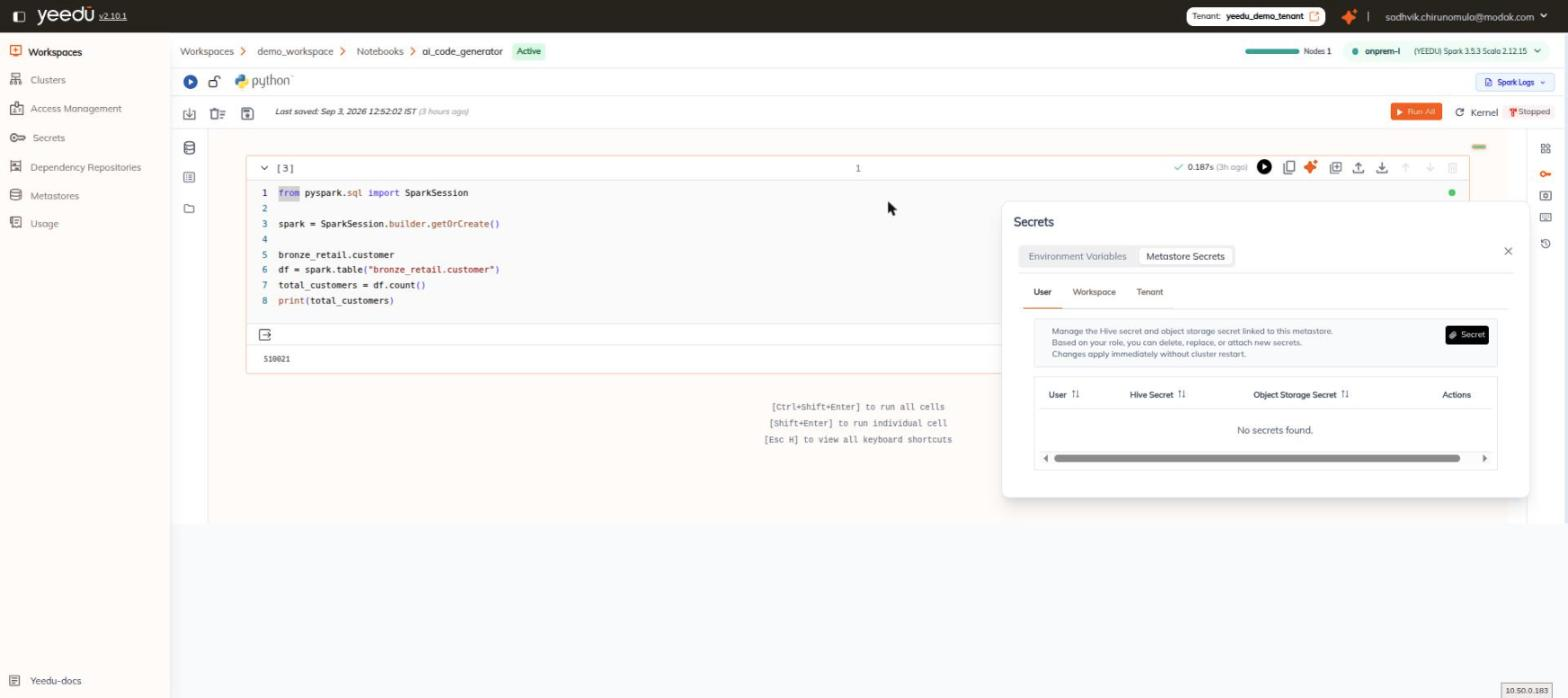
Modes
A segmented control at the top of the panel switches between two modes:
| Mode | Purpose |
|---|---|
| Environment Variables | Environment-variable secrets visible to the notebook session. |
| Metastore Secrets | The Hive secret and object storage secret linked to the notebook's metastore. |
Scopes
Under each mode are three scope tabs, in this order:
| # | Scope |
|---|---|
| 1 | User |
| 2 | Workspace |
| 3 | Tenant |
These are identical to the three permission scopes used on the tenant Secrets page.
Environment Variables
The Environment Variables mode shows a single column, Secret Name. When no environment-variable credentials exist at the currently selected scope, the empty state reads No User Secrets Found.
Metastore Secrets
The Metastore Secrets mode opens with an information block. We show it verbatim here:
Manage the Hive secret and object storage secret linked to this metastore. Based on your role, you can delete, replace, or attach new secrets. Changes apply immediately without cluster restart.
Below it are:
- A Secret button (key icon), used to attach or create a secret.
- A table with four columns:
| Column |
|---|
| User |
| Hive Secret |
| Object Storage Secret |
| Actions |
When nothing is attached, the table's empty state reads No secrets found.
Configuration changes made here apply immediately. Restarting the cluster isn't necessary.