Schema Explorer
Yeedu notebooks include an integrated Catalog Explorer for browsing metadata in the metastore attached to the notebook's cluster, without leaving the editor. We built it because the alternative is genuinely disruptive: writing a query against an unfamiliar table otherwise means abandoning the notebook, finding a catalogue browser elsewhere, establishing the schema and the column types, and returning to reconstruct whatever train of thought the detour interrupted. Everything the panel displays comes from the metastore the notebook's own cluster is attached to, so the structures listed are exactly the structures your cells can reference, and a table missing from the tree is a table your query won't resolve either.
Open it from the Catalog Explorer icon on the left rail of the notebook editor.
The tree is read-only. It describes the catalogue rather than modifying it.
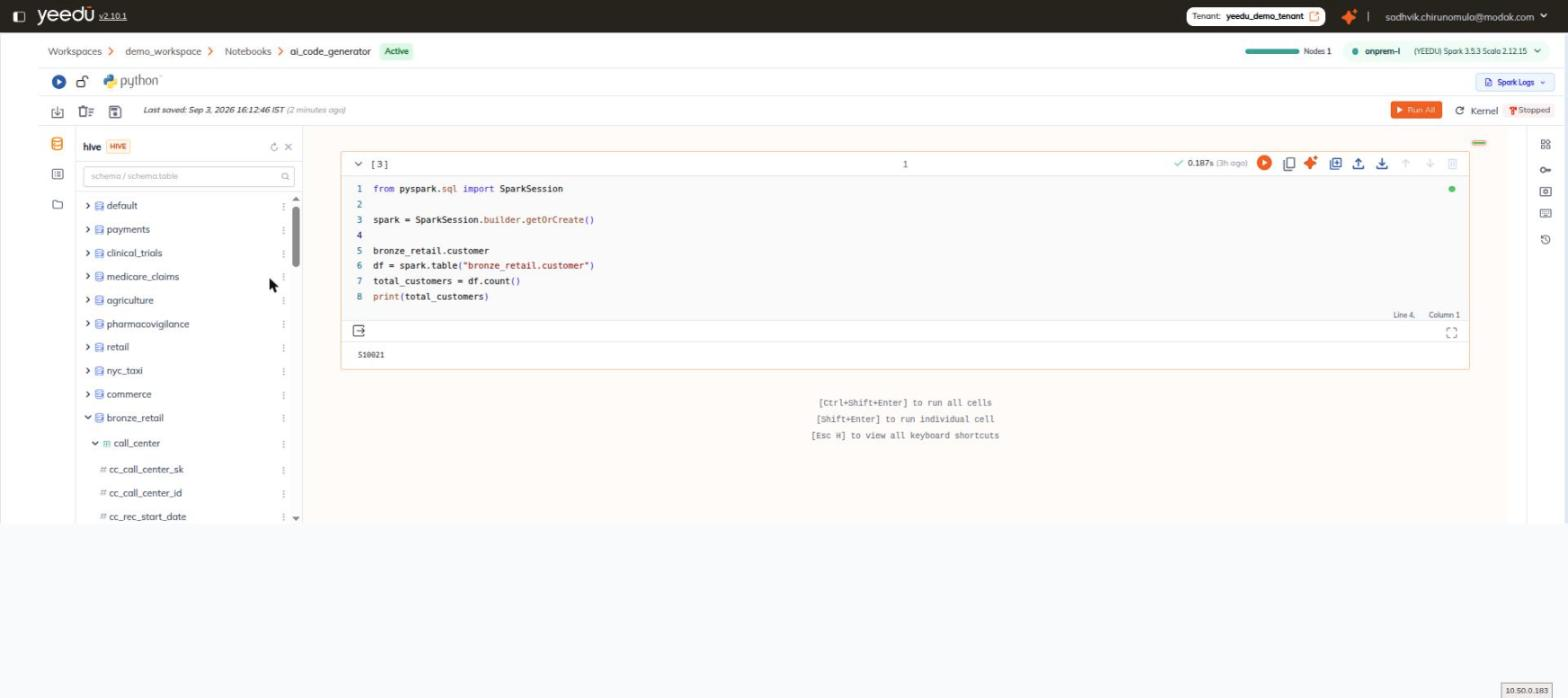
Header
| Element | Detail |
|---|---|
| Catalog name | The name of the catalog, for example hive. |
| Type badge | The metastore type, for example HIVE. |
| Refresh icon | Reloads the tree from the metastore. |
| Close icon | Closes the panel. |
| Search box | Placeholder schema/schema.table. |
Tree
The body is a three-level tree:
schema
└── table
    └── column
Column entries carry a # type marker.
Node Hover Card
Every node has a kebab that opens a hover card:
| Card element | Detail |
|---|---|
| Title | The object name, for example call_center. |
| Subtitle | The fully-qualified name, for example bronze_retail.call_center. |
| Copy icon | Copies the fully-qualified name to the clipboard. |
» icon | Inserts the fully-qualified name into the active cell, at the cursor. |
| Body | Owner:, Created At:, and Updated At:. |
Use the » icon rather than copy-and-paste. It drops the fully-qualified name straight into the cell you're editing.